Preparing Your Samples
LENS requires a manifest that defines the relationships among your samples, patients, and datasets. The manifest tells RAFT which samples belong together and what sequencing data each sample contains.
The organizational hierarchy follows:
Sample ⊂ Group ⊂ Patient ⊂ Dataset
Samples belong to groups (for multi-timepoint analyses), groups belong to patients, and patients belong to datasets.
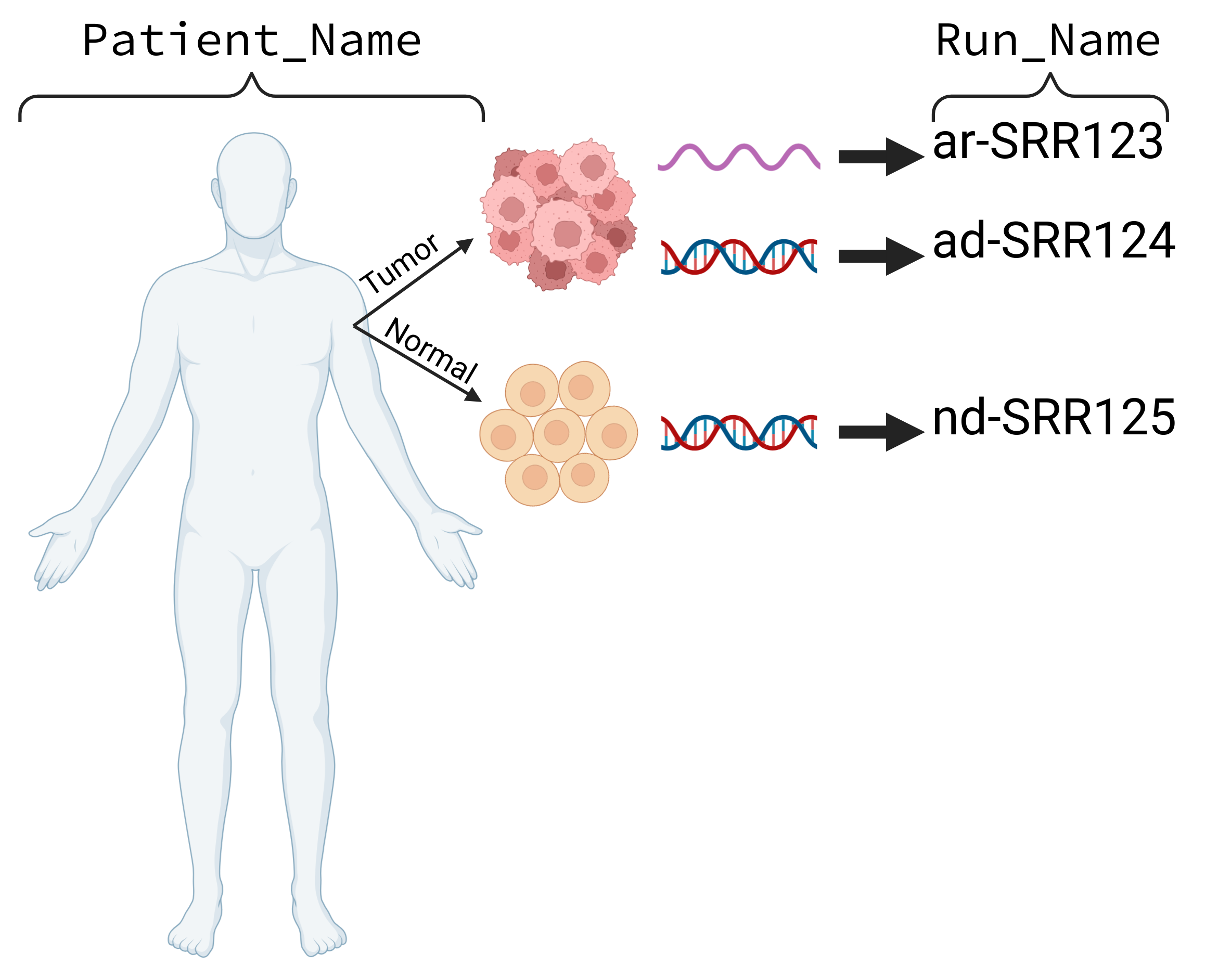
A LENS manifest requires at least one tumor DNA sample, one normal DNA sample, and one tumor RNA sample per patient. A reduced analysis (without SNV or InDel pMHCs) can be run with only tumor RNA.
Using the Manifest Generator
The easiest way to create a manifest is through the RAFT Manifest Generator — a browser-based form with autocomplete, real-time validation, and workflow-aware requirements.
Launch it by starting a new project without a --manifest argument:
raft run --project-id my-project-lens --workflow lens --version 1.9-dev
The Manifest Generator opens in your browser. From there you can:
Select a workflow — choose “LENS (Tumor Antigens)” from the dropdown.
Add samples — fill in Dataset, Patient Name, Sample Type, Run Name, and File Prefix for each sample.
Review — the Sample Overview section organizes samples by patient and group, with color-coded type badges.
Save — click “Save to RAFT” to save the manifest to your project.

The Sample Type dropdown auto-sets the Run Name prefix and Sequencing Method:
Tumor DNA → prefix
ad-, methodWESNormal DNA → prefix
nd-, methodWESTumor RNA → prefix
ar-, methodRNA-SeqNormal RNA → prefix
nr-, methodRNA-Seq
The File Prefix field autocompletes from available FASTQ files in your project directory and validates that the files exist.
Validation warnings appear in real time — for example, “Missing for LENS: Normal DNA” if a normal DNA sample has not been added for a patient.

A hosted version of the Manifest Generator is also available for creating manifests outside of a project:
Creating a manifest from the command line
If you prefer the command line, RAFT can generate a starter manifest:
raft manifest-template --output my_manifest.tsv
This creates a TSV file with example rows for a typical LENS run. To generate a header-only template:
raft manifest-template --no-examples --output my_manifest.tsv
For the full column reference, sample naming conventions, complex sample sets with Groups, and manifest validation, see Manifest Specifications.
Supplying the manifest
Once you have a manifest, pass it when starting a project:
raft run --project-id my-project-lens --workflow lens --version 1.9-dev --manifest my_manifest.tsv
Manifest files must be placed in RAFT’s inputs/metadata directory to be
discovered automatically.