Introduction
LENS
Landscape of Effective Neoantigen Software (LENS) is a tumor antigen discovery workflow capable of identifying potential therapeutic cancer immunotherapy targets from seven antigen sources. More information on LENS can be found in the LENS publication.
Note
Three names appear throughout this documentation.
LENS is the analysis workflow itself — the subject of these pages.
RAFT (Reproducible Analyses Framework and Tools) is the workflow manager
you install and run. It sets up a project, fetches references and workflow
modules, and launches LENS. Every command in this guide starts with
raft. RAFT can run other workflows too; see useraft.io.
Nextflow is the workflow engine RAFT uses underneath to schedule the individual analysis steps and run them in containers. You install it as a prerequisite, but you should not need to interact with it directly.
A workflow profile is a named, pre-defined set of references, tools, and
parameters — standard is the default for human data. This is unrelated
to a Nextflow execution profile, which describes where jobs run (for
example, a SLURM cluster).
LENS predicts peptide-MHCs (pMHCs) from seven antigen sources:
Somatic Nucleotide Variants (SNVs)
Somatic Insertion and Deletion Variants (InDels)
Splice Variants
Fusion Events
Endogenous Retroviruses (ERVs)
Viruses
Cancer-testis Antigens (CTAs)
Important
LENS predicts MHC class I pMHCs only, at peptide lengths of 8-11 residues and against HLA-A, HLA-B, and HLA-C alleles. Class II epitopes are not predicted.
Note
Ready to get started? Install RAFT first (Installing RAFT), then run the demonstration in Quick start before continuing through Preparing your samples and Running LENS using RAFT.
Sample Prerequisites
LENS can be run on multiple patients simultaneously and there are benefits to
running multiple patients (such as shared tumor splice variant detection with
SNAF and improved CNA detection with CNVKit), but only one patient worth
of samples is required.
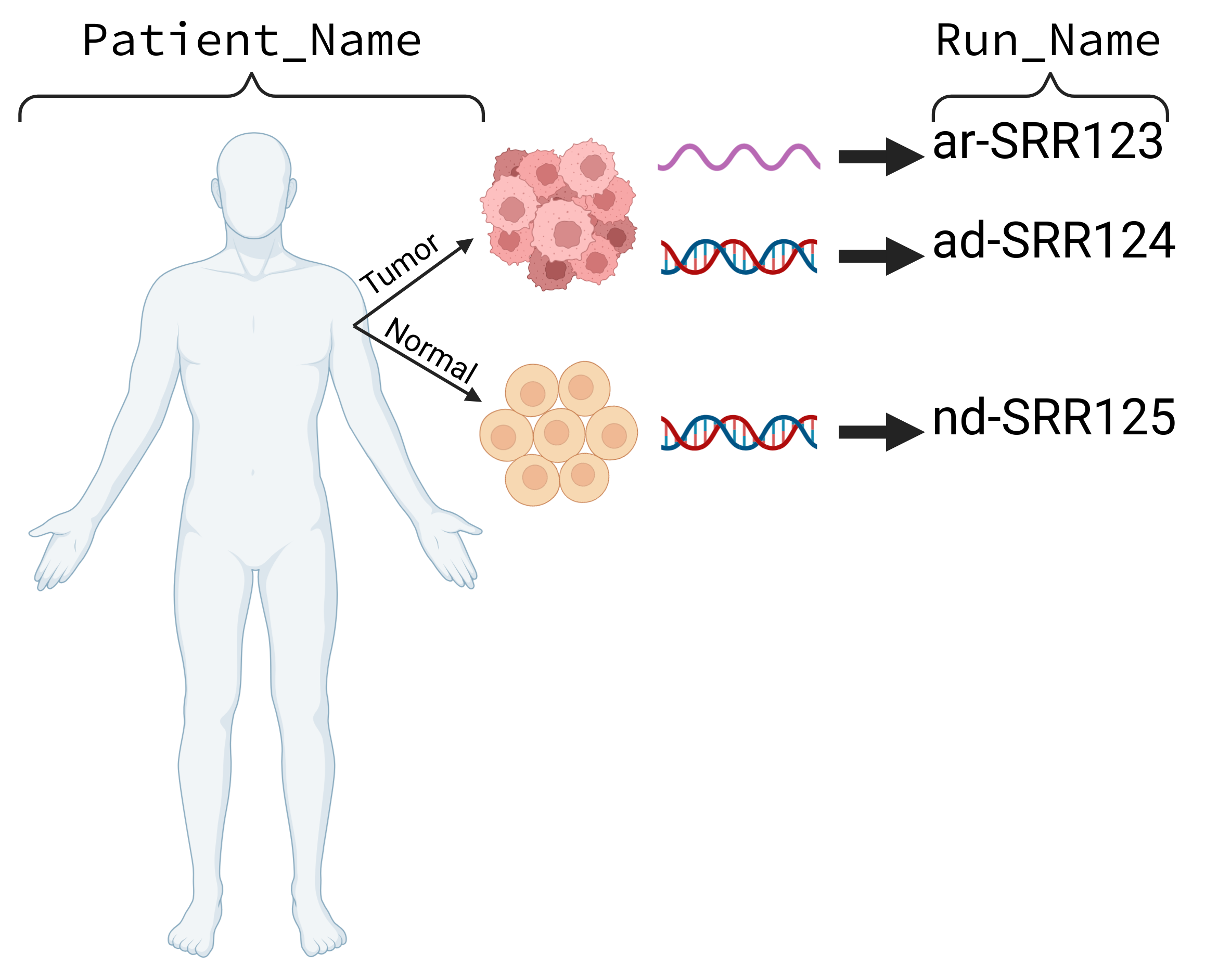
It is strongly recommended to run LENS with the following sample types (per patient) for the best experience:
DNA tumor
DNA normal
RNA tumor
Alternatively, the following sample types (per patient) can be used to get fusion, splice, ERV, viral, and CTA pMHCs:
RNA tumor
Note
Normal RNA samples are no longer required. Earlier versions of LENS asked for a tissue-matched normal RNA sample (e.g. GTEx) to provide an expression baseline. That comparison now uses a bundled pan-normal reference instead, so nothing is expected of you.
The normal-tissue and mTEC expression values used to filter ERV, viral, and
CTA candidates come from reference files shipped with the workflow —
pan_normal_and_mtec_exp.95th_perc.homo_sapiens.quant.sf and
canonical.annotated.mtec.norm_tiss.subcell.21APR2026.tsv. Supplying your
own nr- sample does not feed into them.
More information on running multiple sample sets per patient (e.g. primary vs. metastasis, pre-treatment vs. post-treatment, multiple timepoints, etc.) can be found in the Preparing your samples section.