Introduction
LENS
The Landscape of Effective Neoantigens Software (LENS) is a tumor antigen discovery workflow. Tumor antigens serve as potential therapeutic targets for tumor elimination by a patient’s immune system. The immune system is primed to target these tumor antigens through vaccination. More infromation on therapeutic cancer vaccines can be found in Therapeutic cancer vaccines: advancements, challenges and prospects (Fan et al., 2023).
LENS currently provides predicted peptide-MHCs (pMHCs) from:
Somatic Nucleotide Variants (SNVs)
Somatic Insertion and Deletion Variants (InDels)
Splice Variants
Fusion Events
Endogenous Retroviruses (ERVs)
Viruses
Cancer-testis Antigens (CTAs)
Running LENS
LENS runs within RAFT, a Nextflow-based workflow manager that ensures running the workflow is a smooth process. We touch on RAFT within this tutorial, but we encourage users to further explore the RAFT documentation. The Installing RAFT section contains more information on install RAFT prior to running LENS.
A demonstration version of LENS is available for users that do not have their own samples or are interested in learning more about how LENS works.
Sample Prerequisites
LENS can be run on multiple patients simultaneously and there are benefits to
running multiple patients (such as shared tumor splice variant detection with
SNAF and improved CNA detection with CNVKit), but only one patient worth
of samples is required.
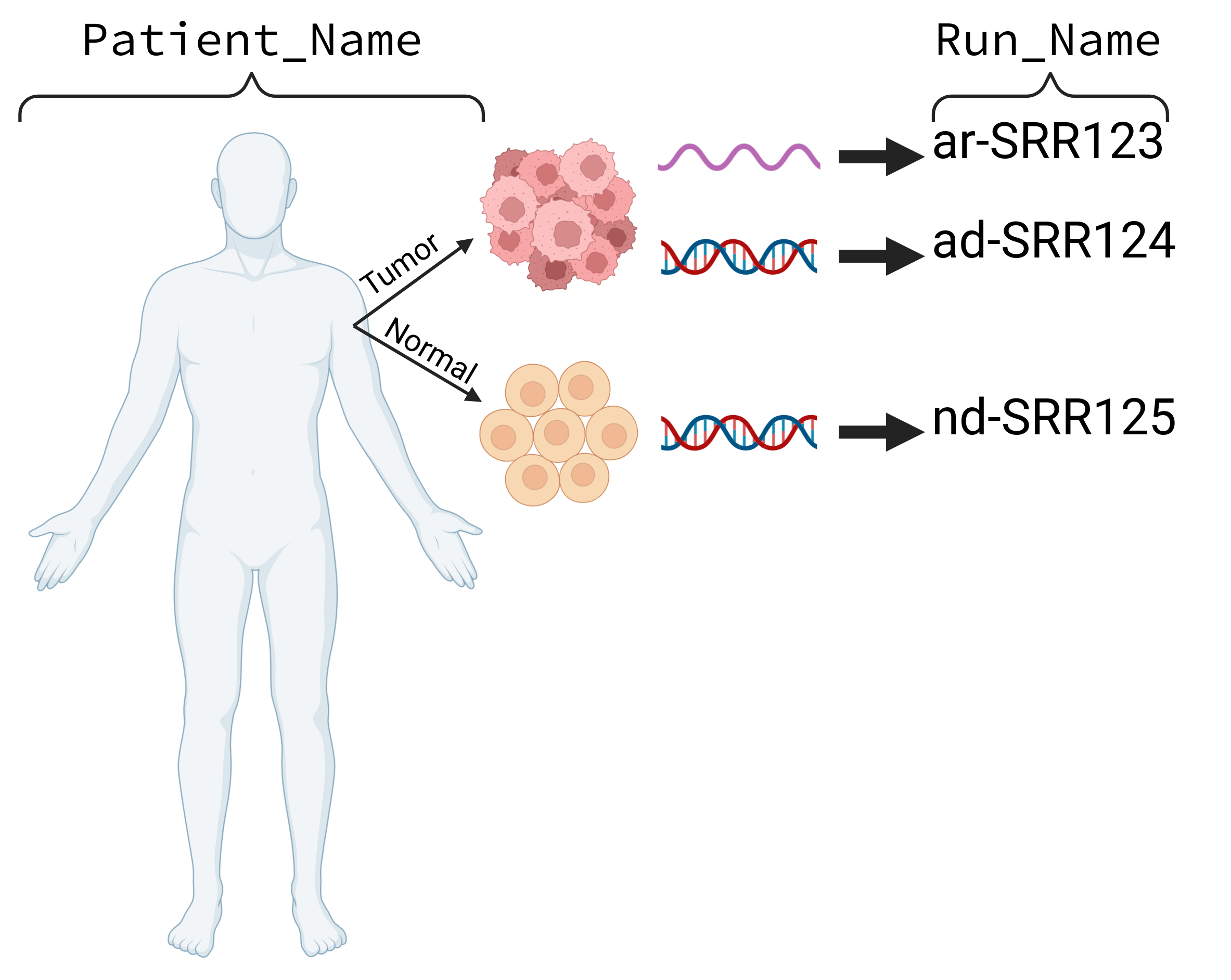
- It is strongly recommended to run LENS with the following sample types (per patient):
DNA tumor
DNA normal
RNA tumor
Additionally, users should provide a tissue-matched normal RNA sample (e.g. GTEx or Fagerberg et al., 2014).